 Virtual Manager
Free Khata App for Shops, Wholesalers and Factories
Move your udhar register from paper to your phone or PC. Virtual Manager keeps every credit sale, every payment and each customer’s running balance in one digital khata, and it works without internet.
- Udhar and payments
- Urdu names
- Phone and PC
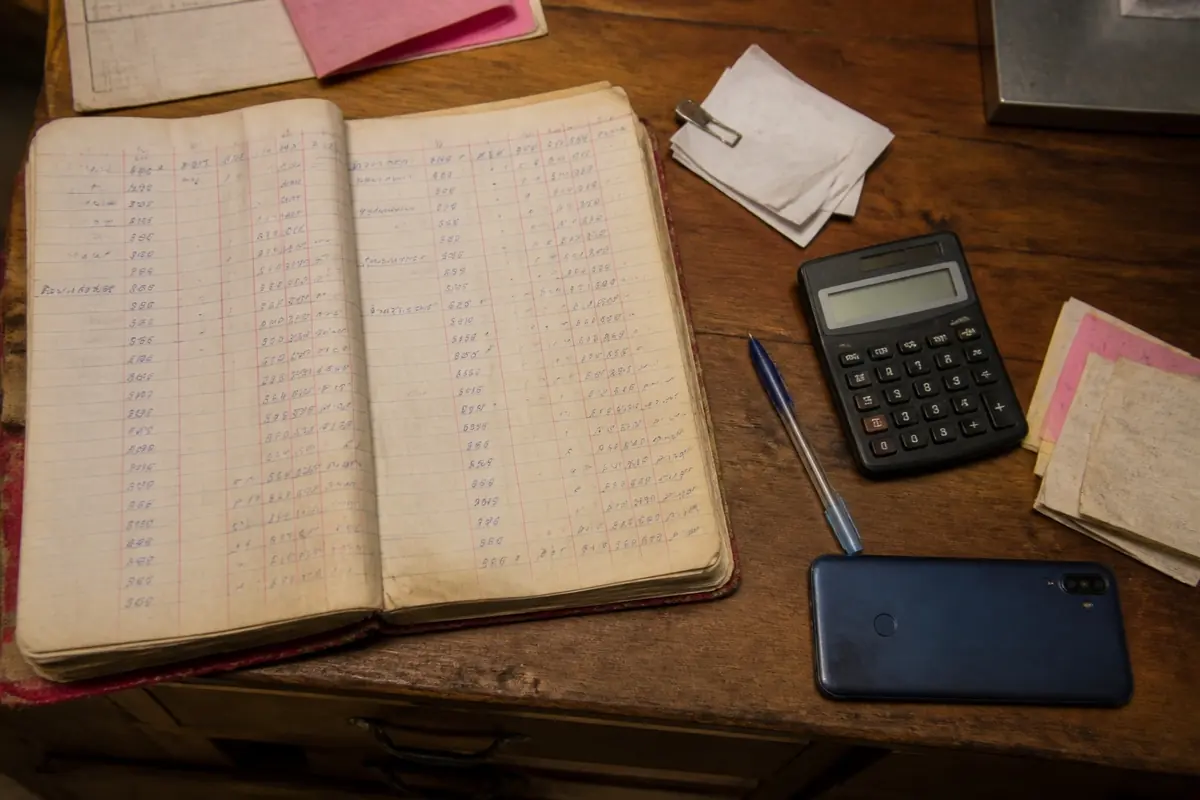
What a digital khata does better than a paper register
A paper khata book works until you need a total. Then someone has to flip pages, add up entries and hope nothing was missed. In a khata app, the balance is worked out every time you save a sale or a payment.
- Each customer’s running balance updates on its own after every sale and payment.
- Find a customer by name instead of searching through old pages.
- Share a receipt that shows what the customer still owes.
- Export a PDF statement for a month or any date range when a customer asks for their hisab.
- Keep supplier balances in the same app, so you know what you owe as well as what you are owed.
- Your records sit in an encrypted database on your device, and you can lock the app with a password.
Record udhar and payments in three steps
- Add the customer in English or Urdu. If you are moving from a paper register, add a dated opening balance under To receive or To pay.
- Save the sale with its date and items. For wholesale, enter the amount received in Pay or leave it empty for credit. Retail billing uses Cash or Credit.
- When the customer pays, record the payment against their account. The balance goes down, and the original sale and each payment stay visible.
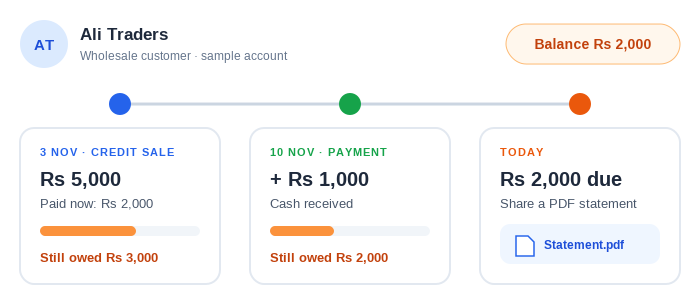
For example, a wholesale customer buys goods worth PKR 5,000 and pays PKR 2,000 today, leaving PKR 3,000 in udhar. A week later they bring PKR 1,000. Use Received in Quick Entry and check the customer account for PKR 2,000 still due.
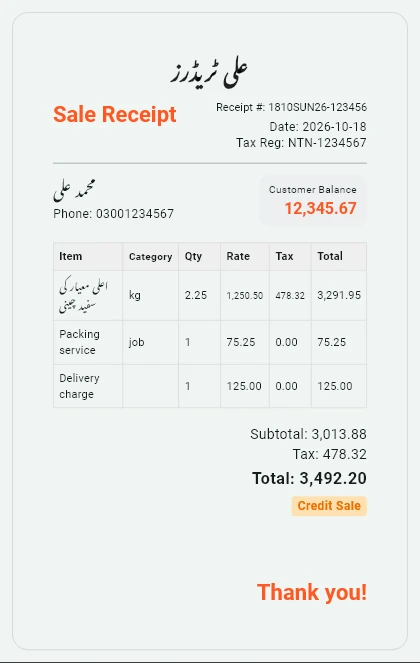
Receipts and statements your customers can read
Customer and item names typed in Urdu print in Nastaliq next to your English text. A credit sale receipt can show the customer’s balance, your tax number and your own business stamp. For a full hisab kitab, export the customer’s sale statement as a PDF and go through it together.
Keep supplier hisab in the same place
Most shops have two khatas: what customers owe you and what you owe your suppliers. Record supplier purchases and the payments you make by cash, bank or cheque, and each supplier’s running balance stays up to date. The sales and purchase guide shows how purchases, payments and stock fit together.
Open All Accounts to see customer and supplier balances together. Filter by what you will receive or pay and print a pending balances sheet. Use the daily cash book to review the actual money received and paid.
More than a khata book when you need it
Many shopkeepers start with udhar only. When you are ready, the same app can also handle:
- Stock and inventory, with each purchase batch costed using FIFO.
- Live profit after stock cost and expenses, not just sales totals.
- Employee attendance and salary payments.
- Counter billing with Quick Sell for retail sales.
- Staff logins where a salesman sees only sales. This needs sign-in and cloud sync.
Already keep your khata in Excel? Import customer and supplier opening balances and sales history. Check the dates and preview before saving.
Khata app for PC and mobile
Install Virtual Manager from the Microsoft Store on a Windows PC or laptop, or from Google Play on an Android phone. Choose Use Offline App to start straight away with no account. If you want the same khata on your counter PC and your phone, sign in and turn on cloud sync. Records you made offline come with you.
Khata app questions
Is the Virtual Manager khata app free?
Yes. Virtual Manager is free to download and use on Windows and Android. The khata, sales, purchases, inventory, expenses, payroll and PDF exports need no subscription.
Does the khata app work without internet?
Yes. Choose Use Offline App after installing and you can record udhar sales, payments and balances with no account and no internet. Cloud sync is optional and needs sign-in.
Can I write customer names in Urdu?
Yes. You can type customer names, item names and notes in Urdu, and they show in Nastaliq script on screen, on receipts and in PDF statements. The app’s menus and buttons are in English.
Can I use the same khata on my phone and my computer?
Yes, with cloud sync. Install Virtual Manager on Windows and Android, sign in and turn on cloud sync to keep both devices up to date. Without sync, each device keeps its own records.