 Virtual Manager
Employee Attendance and Payroll App
Keep a daily attendance and payment record for employees in your shop, wholesale business or factory. Use the standalone app on your device, or set up cloud access if staff need their own logins.
- Daily attendance
- Advances & payments
- Staff check-in

Keep a daily attendance routine
- Add employees with the salary and start details you use for your business.
- Record attendance on the day it happens. Review the register regularly, especially after a half day or leave, so you can correct mistakes before paying.
- Review pay and previous payments for the employee. Save the actual amount paid and check what is left to pay.
Keep advances visible before the next payday
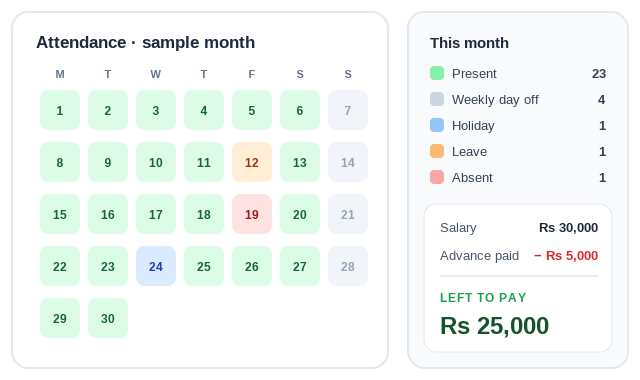
Record advances, bonuses and deductions against the employee. If you give someone an advance partway through the month, use the actual payment date and amount, then review it with their balance at payday.
Owner attendance and employee self check-in are different
An owner can mark attendance locally without signing in. In a connected workspace, staff can check in using nearby Bluetooth or the manager’s QR code. Signed-in staff can also use My attendance on Home.

Calculate pay from attendance and export the register
Set working hours, weekly days off and paid holidays. Pay is calculated from attendance, and you can save a salary payment on any day of the month. Use the monthly salary statement to review a person’s account, and export the attendance register as an A4 PDF or Excel workbook for the team.
Check the store versions if you are using an earlier app build.