Replace Notebooks.
Run Your Shop in Minutes.
Record a sale in seconds. See real profit after what the stock actually cost you. Track staff attendance and salaries, and give your team their own logins that show only what you allow. Virtual Manager runs fully offline — no account needed to start.
Built for Businesses That Keep It Simple
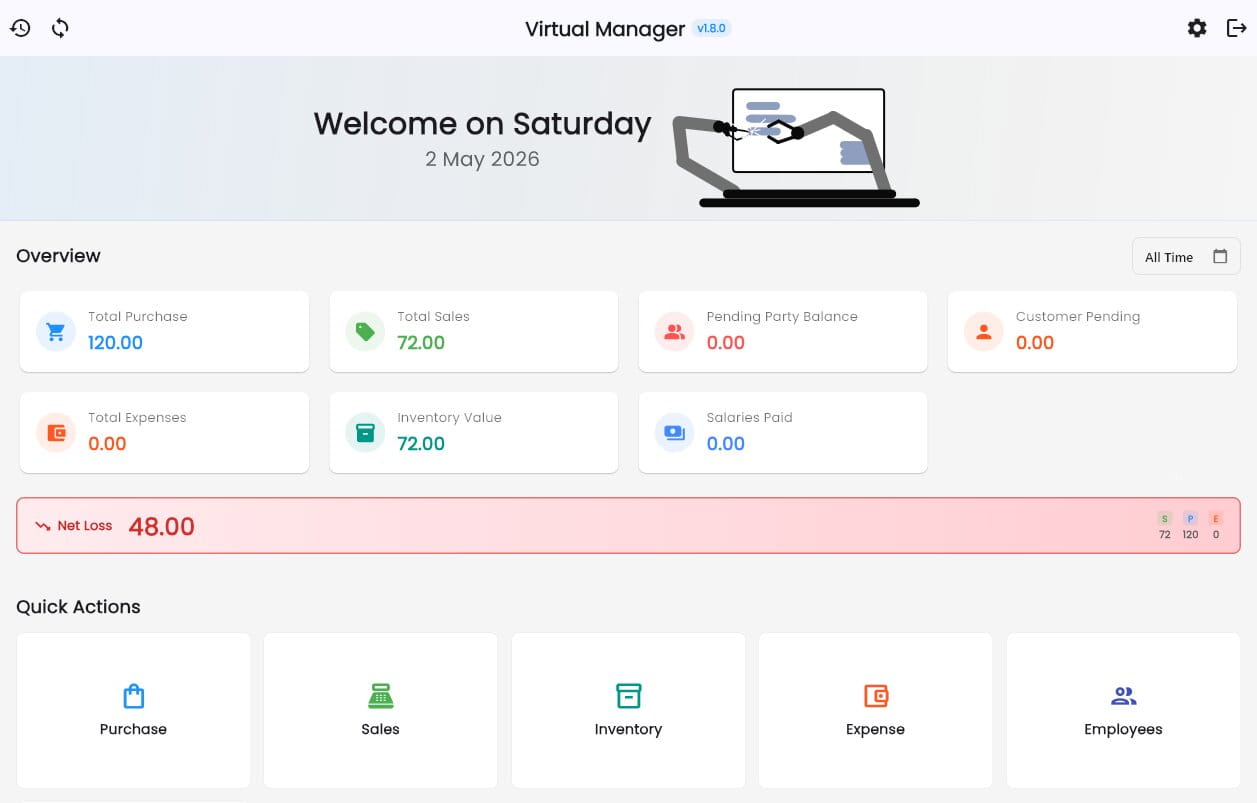
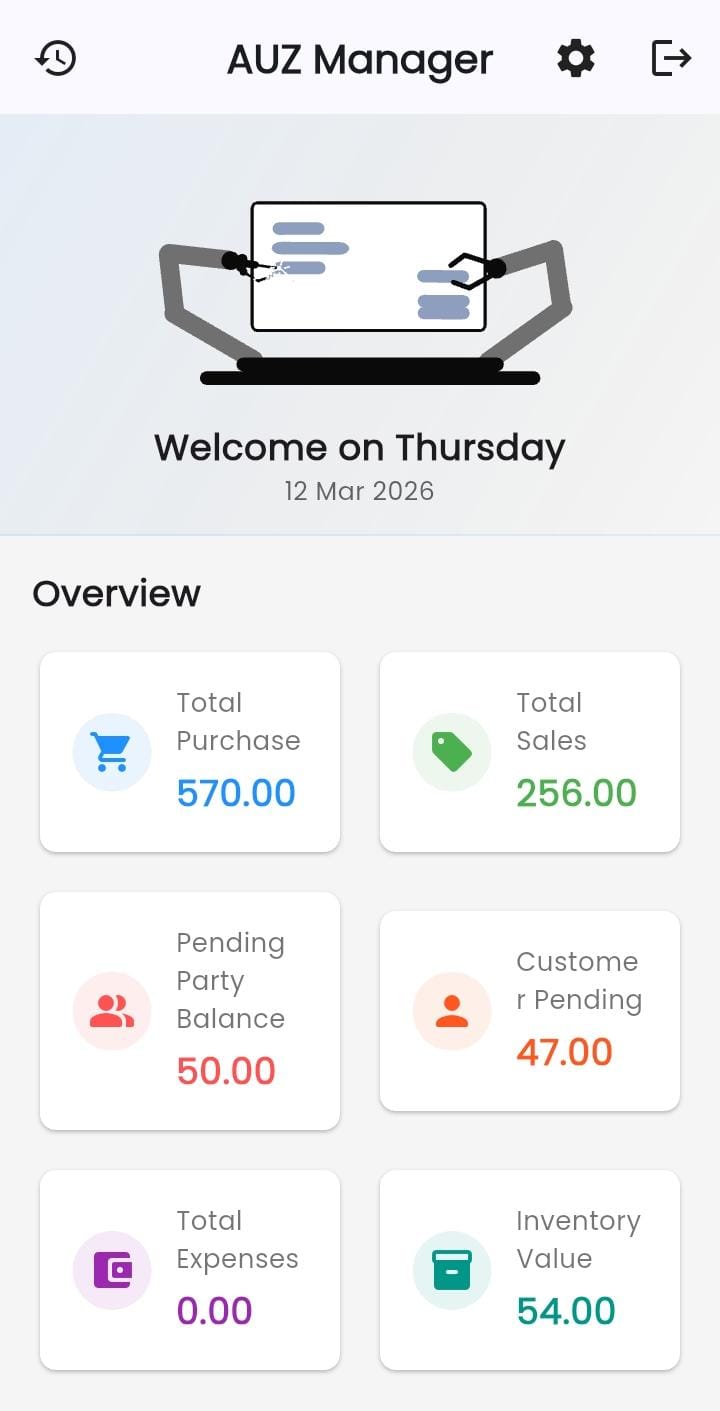
Virtual Manager is an offline-first business app for shops, traders and small factories. One system handles the whole operation — purchases and suppliers, wholesale and retail sales, batch-tracked stock, expenses, payments, employee attendance and monthly payroll.
It runs completely without internet and without an account, so your business never stops for a bad connection. Connect later and everything syncs across your devices. Your team can get their own logins with only the access you grant them — no accounting expertise needed, by you or by them.
Explore FeaturesWatch Virtual Manager
A quick overview of how the app works and what it can do for your business.
Everything Your Business Needs
Twelve powerful modules to manage every aspect of your daily business operations.
Sales & Retail Billing
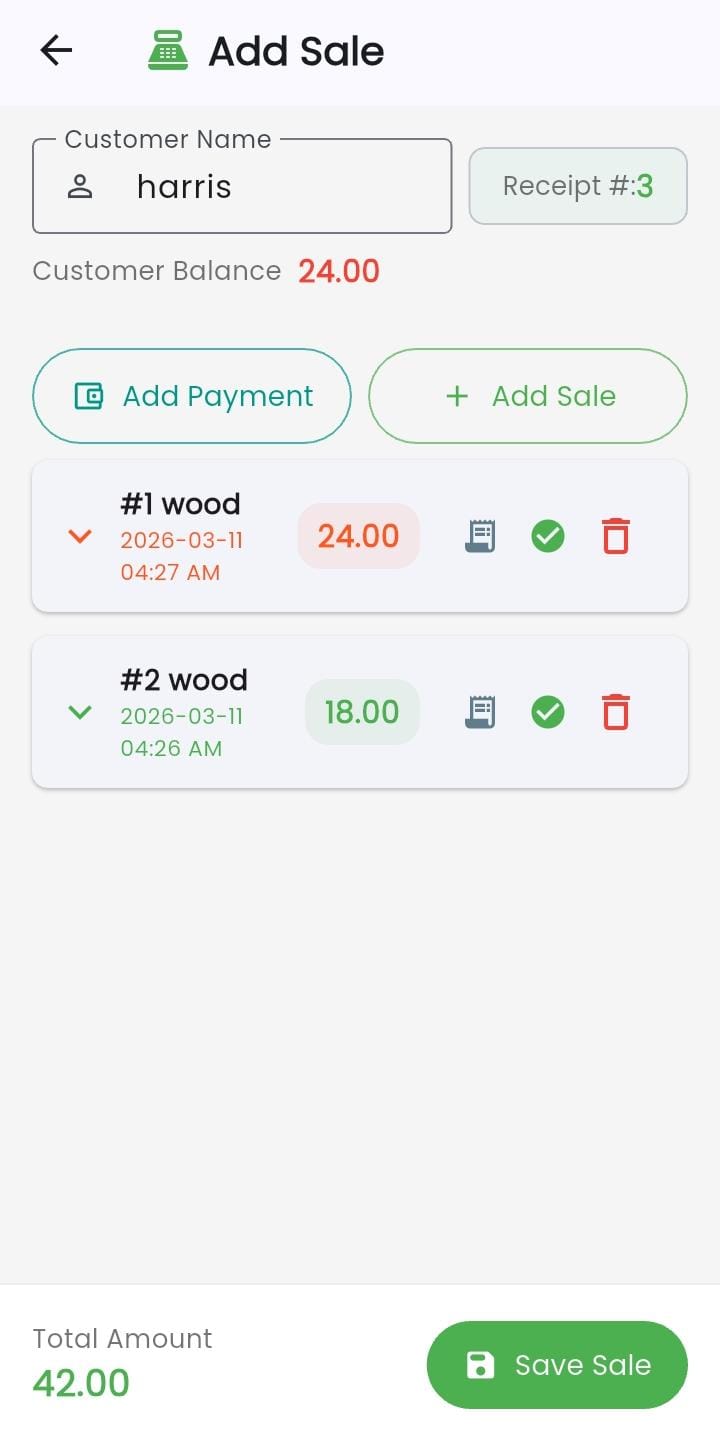
Separate wholesale and retail modes, with Quick Sell for fast counter billing. Sell for cash or on credit, and the app remembers the rate each customer last paid.
Purchases & Suppliers
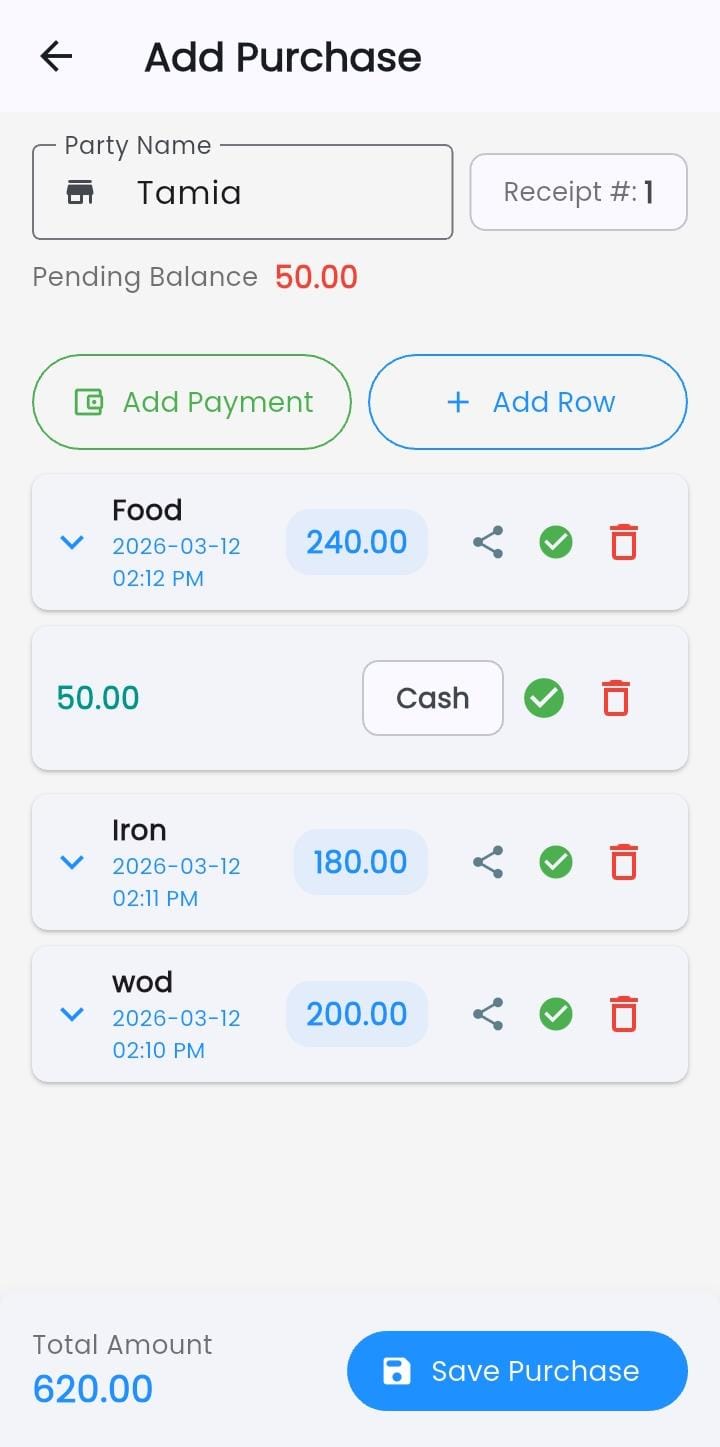
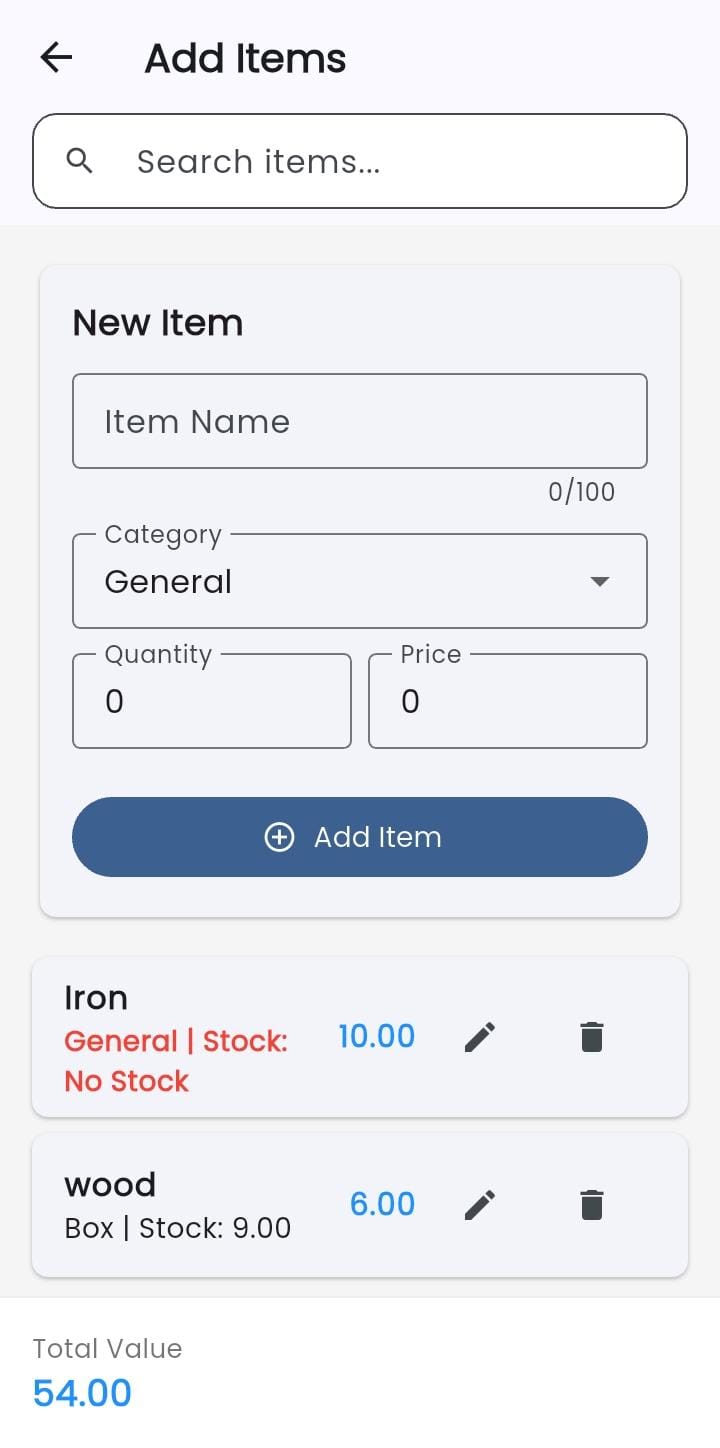
Record multi-item purchases and pay per line or per invoice by cash, bank or cheque. Every supplier's running balance stays up to date on its own.
Smart Inventory (FIFO)
Stock is tracked in batches, so each sale is costed against the batch it actually came from. You can't oversell what you don't have.
Expense Tracking
Log costs in multi-row expense sheets and tie any expense to the exact purchase it belongs to — so you see where the money really went.
Employees & Payroll
Mark attendance as present, absent, half day or leave, then close the month with salary worked out from the days actually worked. Partial payments supported.
Live Profit Overview
See real profit, not just sales totals — every sale is counted against what that stock cost you. Filter by today, this month, this year or any range.
Stock Ledger & Reports
Every stock movement in one searchable ledger, plus a stock report showing opening balance, stock received, consumption and closing balance per item.
PDF Statements & Receipts
Export purchase and sale statements, the ledger and the stock report as PDFs. Share receipts instantly, or print an out pass with driver and vehicle details.
Team Access & Permissions
Staff sign in by scanning a QR code or entering a one-time code. Roles and per-person permissions decide what each one sees — and their edits can wait for your approval.
Excel Data Import
Already keep records in a spreadsheet? Import purchases, sales, items, expenses, salaries, customers and suppliers, with columns mapped for you and a preview before anything saves.
Offline-First + Cloud Sync
The complete app works with no internet and no account at all. Connect when you're ready and your records sync across your devices — nothing queued is ever lost.
Security & App Lock
Your data sits in an encrypted database on your device. Lock the app behind a password with a recovery code, and see who changed what on every record.
More in the App
Smaller touches that solve the everyday problems most business apps ignore.
Simplify How You Run Your Business
Real benefits for business owners who need reliable, everyday tools — not complex software.
Keep All Business Records in One Place
No more scattered notebooks, spreadsheets, or memory. Virtual Manager brings your sales, purchases, expenses, and items into a single organized system that's always ready when you need it.
Track Daily Transactions Easily
Recording a sale or a purchase takes just a few taps. The app is designed for speed so you can log transactions quickly and get back to running your business.
View Business Reports Quickly
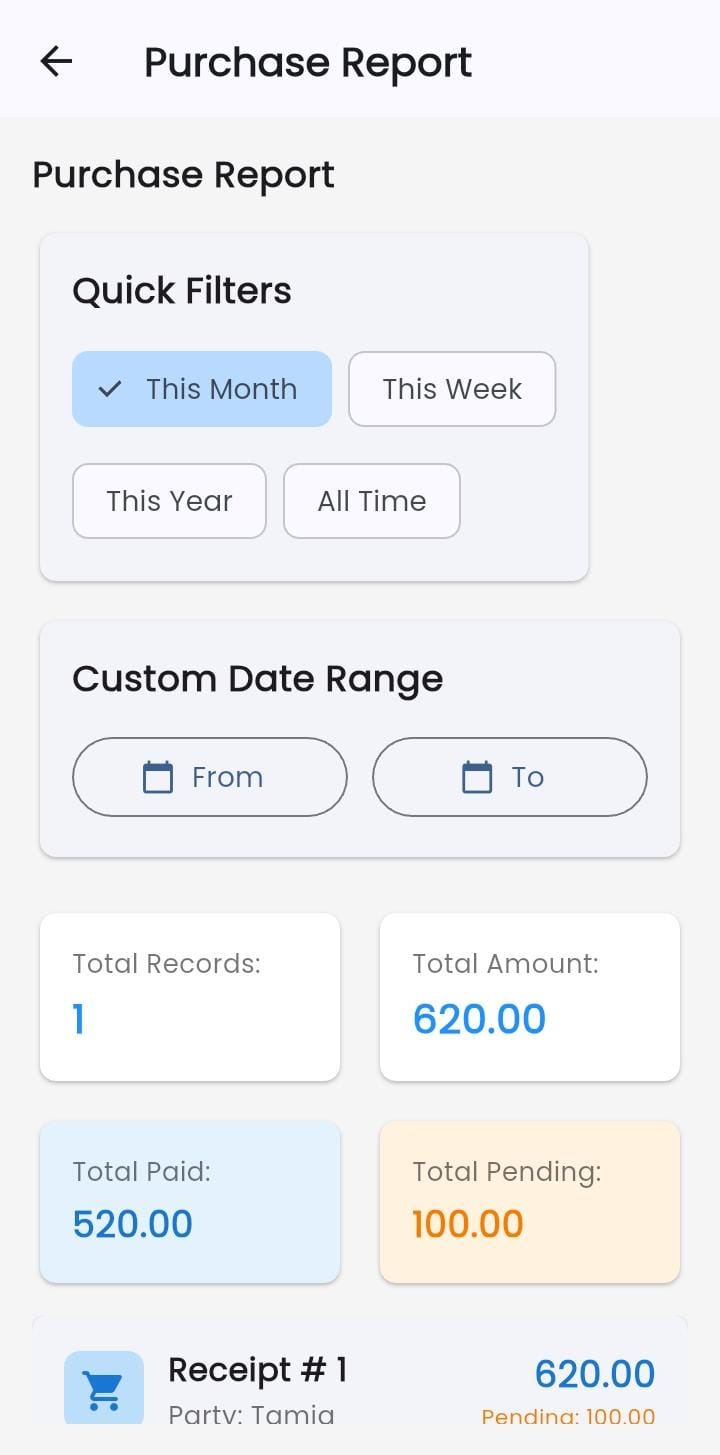
Understand how your business is performing without spending hours compiling data. The stock ledger and stock report are built as you work, and any statement exports to PDF in a couple of taps — ready to print, file or send to your accountant.
Reduce Manual Bookkeeping Confusion
Manual records are error-prone and hard to search. Virtual Manager keeps everything digital, organized, and searchable — reducing mistakes and saving you time every single day.
Let Your Team Work Without Handing Over Control
Give staff their own login by scanning a QR code or entering a one-time code — no email account needed. Each person sees only the module you allow, salaries stay private, and the changes they make can wait for your approval before they count.
Know Your Real Profit, Not Just Your Sales
A big sales number means nothing on its own. Every sale is costed against the actual stock batch it came from, so the profit you see already accounts for what that stock cost you — with expenses and salaries factored in too.
Access Reliable Data Anywhere
With local offline storage and cloud sync support, your data is always available — whether you're connected to the internet or not. Your business information is safe, backed up, and ready when you are.
See the App in Action
A clean and organized interface designed to make business management straightforward for everyone.
Download Virtual Manager
Start managing your business smarter. Virtual Manager is ready today on Windows and Android — macOS and iOS builds are on the way. Pick your device and set up in minutes.
Free download · Updated regularly · No account required to start.
Frequently Asked Questions
Everything you need to know about Virtual Manager before you get started.
Virtual Manager is an offline-first business app for small shops, traders and factories. It handles sales, purchases, batch-tracked inventory, expenses, payments, employee attendance and payroll from one organized system, and shows you real profit after stock cost. Your team can get their own logins with limited access. It works with no internet and no account, and syncs to the cloud when you connect — without requiring any accounting expertise.
Virtual Manager is designed for small business owners, shopkeepers, traders, and anyone running a retail or service-based business. If you currently use notebooks, spreadsheets, or loose papers to keep track of your sales and purchases, this app is built specifically to replace that and make your record keeping much more organized.
Yes — completely. The full app runs on your device with no signup, no login and no internet connection at all. Sales, purchases, expenses, inventory, attendance and payroll all work offline, and so do PDF exports and receipts. Cloud sync is optional: connect whenever you want and everything you recorded offline uploads then. Nothing you enter while offline is lost.
Yes. Sign in and your records back up to the cloud and sync across every device you use. Work you do while offline is queued safely and uploads the moment you reconnect. If you started out offline without an account, you can create one later and bring all your existing data with you.
Virtual Manager covers six modules: Purchases (suppliers, purchase entries and payments), Sales (wholesale and retail customers, sales and customer payments), Inventory (items, stock batches and adjustments), Expenses, Employees (attendance, monthly salary and payments) and the Ledger (every stock movement plus a stock report). On top of that you get payment history across all parties, PDF statements, and a live overview of profit for any date range. Everything sits in one system so you always have a clear view of your business.
Yes. You can create access for a staff member and hand it to them as a QR code to scan or a one-time code to type — they don't need an email account of their own. Each person gets a role, and you can grant or deny individual permissions on top of it, so a salesman sees only sales and a storekeeper only inventory. Salary figures can be hidden from everyone but you. You can also require that edits and deletions made by staff come to you for approval before they take effect, and revoke anyone's access at any time.
Yes. Add your employees with their monthly salary and joining date, then mark each day as present, absent, half day or leave. At the end of the month you close the salary period and the app works out what each person is owed from the days they actually worked. You can pay in full or in parts, and every payment is tracked as pending, partially paid or paid.
Yes. The built-in data importer reads an Excel (.xlsx) workbook and brings in purchases, sales, items, expenses, salaries, customers or suppliers. Pick the sheet and header row, and the app maps your columns for you — you can correct any it gets wrong. It also spots the same person or item spelled differently and offers to merge them. Nothing is saved until you check the preview and confirm.
Yes. You can export a purchase statement, a sale statement, the stock ledger or the stock report as a PDF — for all records, a single month, or any date range you choose — and preview it before you save, print or share it. Individual receipts can be shared straight from the app, and you can print an out pass with the driver's name and vehicle number for goods leaving your premises.
You can type Urdu anywhere in the app — customer names, item names, notes — and it displays in proper Nastaliq script while your English text keeps its own font. Urdu also renders correctly on printed receipts and PDF exports. You can choose between Jameel Noori Nastaleeq and Noto Nastaliq Urdu in settings. Note that the app's own menus and buttons are in English; it's your data that can be in Urdu.
Pick your platform in the download section above. On Windows you'll get an installer — unzip it and run the setup. On Android you'll get an APK file; open it and allow installation from your browser when your phone asks. Either way the app is ready in a few minutes, and you can start using it straight away without creating an account.
Yes. Virtual Manager is free to download and use. The core features — sales, purchases, inventory, expenses, employees and payroll, the stock ledger, PDF exports and offline access — are available at no cost and with no subscription required.
Your data is stored locally on your own device by default, and it always belongs to you. If you turn on cloud sync, an encrypted backup is also stored in the cloud so you can restore it on another device. We never sell or share your business records.
Yes. Sign in with the same account on each device and your sales, purchases, inventory and payroll stay in sync between your phone, your laptop and your shop computer. One detail worth knowing: staff accounts are limited to one device at a time for entering data. If a staff member signs in somewhere new, their old device switches to view-only and anything it had not yet synced is kept safe rather than discarded. As the owner you are not restricted this way.
Email us at support@virtual-manager.app with a short description of the issue and, if possible, a screenshot. We usually reply within one business day.
Both are in active development — the iOS build will be released through the App Store, and a macOS build will follow. Until then you can use Virtual Manager on Android and Windows, and your data syncs between them. Email us if you'd like to be notified at launch.